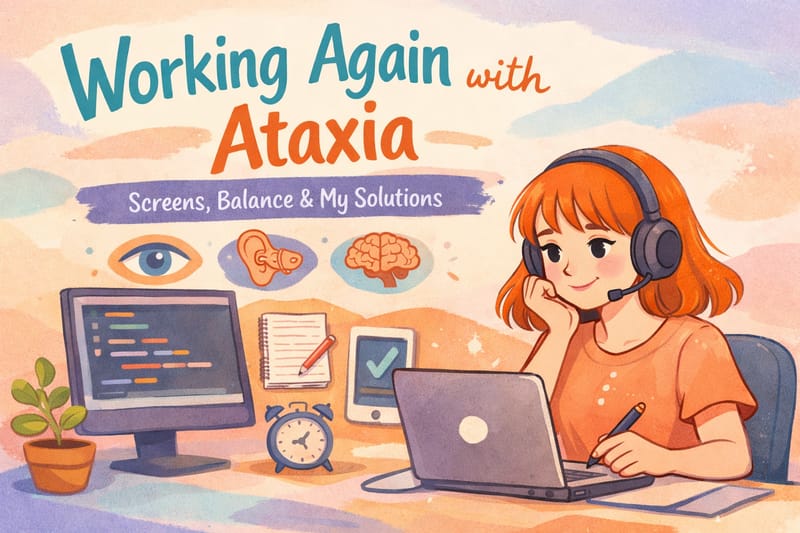
One of the biggest steps I wanted to take in the new year was to work again. I wanted to return to professional life, to step back into the world, to feel alive once more and I did it.
Right now, even though it’s part-time, I’m working at a company and doing my own job. My work is computer-based. I’m a software tester. That means long hours in front of screens—computers, phones, tablets—and frequent online meetings. Very quickly, I started noticing something important: prolonged screen time was increasing my ataxia.
At first, this felt strange and frustrating. Why would simply looking at a screen make my balance worse? But within just 30 minutes, I would feel deeply exhausted. My eyes felt like I’d been staring at something for hours. My balance deteriorated, my tremor increased, and a strong sense of instability appeared. So I researched it and once I understood the reason, everything started to make sense.
Why Screens Can Worsen Ataxia
Our balance depends on three main systems working together:
- Vision (the eyes)
- The vestibular system (inner ear)
- The cerebellum
In my case, I have cerebellar atrophy. Because the cerebellum is impaired, my brain relies much more heavily on vision to compensate for balance. In other words, my eyes are doing extra work.
When we stare at screens for long periods, the eye muscles perform constant micro-movements. This intensely activates the visual system and sends a large amount of information to the brain. For someone with a healthy cerebellum, this can already be tiring. For someone with cerebellar damage, it can become overwhelming.
The cerebellum struggles to filter all this incoming sensory input at once. As a result, balance worsens, tremor increases, and the feeling of instability becomes stronger.
There’s also another important factor: when we sit at a computer, our head usually stays very still. The vestibular system isn’t actively engaged, while the eyes are moving continuously. This creates a mismatch between the visual and balance systems, which further stresses the brain.
In short: too much visual input, too little movement, and an already overloaded cerebellum.
How to Reduce Screen-Related Fatigue
Once I understood this, I stopped pushing myself and started adapting my workday to my nervous system.
1. I Modified the 20–20–20 Rule
There’s a common rule that suggests every 20 minutes, you look at something far away for 20 seconds.
I realized that for me, 20 minutes is too long. So I do this every 10 minutes instead.
I look at very distant points—places with depth—and slowly scan the environment with my eyes. This immediately reduces eye strain.
After that, I stand up. I might do a few squats, move my arms, or walk around the room. This movement helps my body recalibrate. It’s like telling my nervous system:
“I’m here. I’m upright. I’m balanced.”
Since I started doing this regularly, I feel noticeably more stable.
2. I Make the Screen More “Balance-Friendly”
This is essential:
- Lower screen brightness
- Use dark mode
- Turn on night mode / blue light filter
- Increase font size
These adjustments significantly reduce visual stress and should not be optional—especially if you have neurological sensitivity.
3. I Pay Attention to Posture
Posture matters more than we think.
When I sit at my desk:
- My feet are fully on the ground
- My back is supported
- I sit upright, not slouched
The cerebellum is also responsible for posture. If I sit poorly while staring at a screen, my brain has to process visual input and constantly correct posture at the same time. That increases the workload dramatically.
Good posture means less unnecessary work for the brain.
4. I Transition Slowly After Screen Time
When my work is done, I don’t stand up immediately.
I:
- Sit upright for a moment
- Close my eyes and rest them
- Take a few deep breaths
- Make sure my feet are firmly on the ground
- Stand up slowly
After intense screen exposure, the brain has processed a lot of sensory information. Standing up suddenly can increase the risk of dizziness, imbalance, or falls, especially with ataxia. I consciously tell myself:
“I’m here. I’m balanced.”
That pause matters.
Supporting Eye–Head–Balance Coordination
The key issue in ataxia is often impaired coordination between the eyes, head, and balance system. Screen management helps, but we can also support this coordination directly with gentle eye exercises.
Once or twice a day, I do simple exercises like:
- Focusing on a single point while gently moving my head left and right
- Moving the head up and down for 15–20 seconds
- Small diagonal movements
These exercises strengthen eye muscles and support eye–head–balance integration. There are many variations, and they can be adapted to individual tolerance levels. You can have a look at my eye exercises here.
Final Thoughts
I’ve only been working for about a week using these strategies, but the difference is clear. My eyes get tired much less. My body adapts faster. My balance feels more stable.
Sometimes, small adjustments make all the difference.
Comments · 0
0 comments